
Choosing a backpack sounds simple until you start comparing them.
One has more pockets. Another looks better. A third has a laptop sleeve. Then you see 20L, 25L and 30L options and wonder, “What size backpack should I buy?”
The problem is that there is no single best backpack for everyone.
The right choice depends on what you carry, where you use it, how long you carry it and how much you want to spend.
Whether you need a bag for school, college, office, daily commuting or travel, this guide explains how to choose the best backpack for your needs without paying for features you don’t need.
Quick Answer: How Do You Choose the Right Backpack?
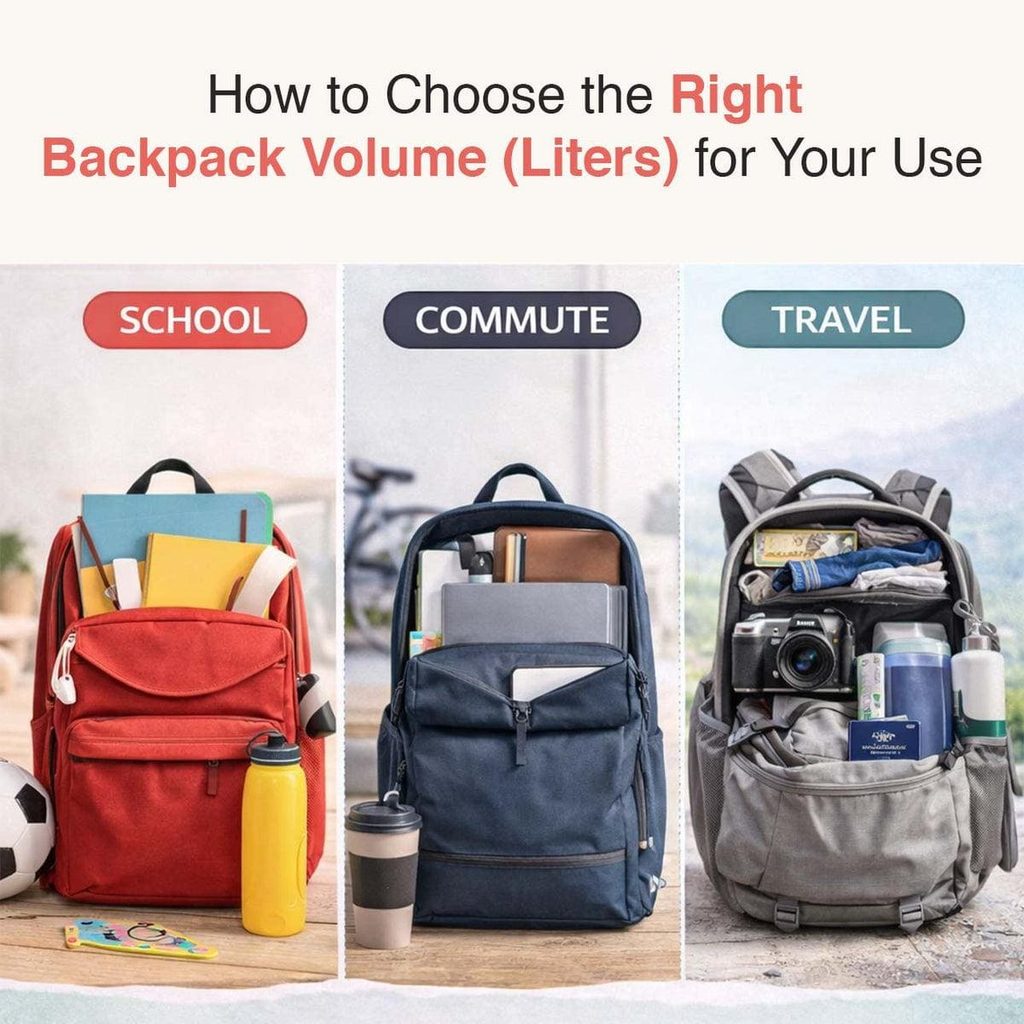
The easiest way to choose the right backpack is to follow this order:
Purpose → What you carry → Size → Fit → Laptop protection → Material → Compartments → Weather protection → Durability → Budget
For example:
- School: Choose a lightweight bag with enough room for books, lunch and a water bottle.
- College: Look for a 20–30L backpack with laptop protection and useful organization.
- Office: Choose a professional laptop backpack with padded compartments.
- Daily use: A 15–25L backpack is often enough for a light-to-moderate load.
- Travel: Choose a larger backpack based on trip length and what you need to carry.
The goal is not to buy the biggest or most expensive backpack. It is to buy one that fits your lifestyle.
1. Start With How You Will Use the Backpack
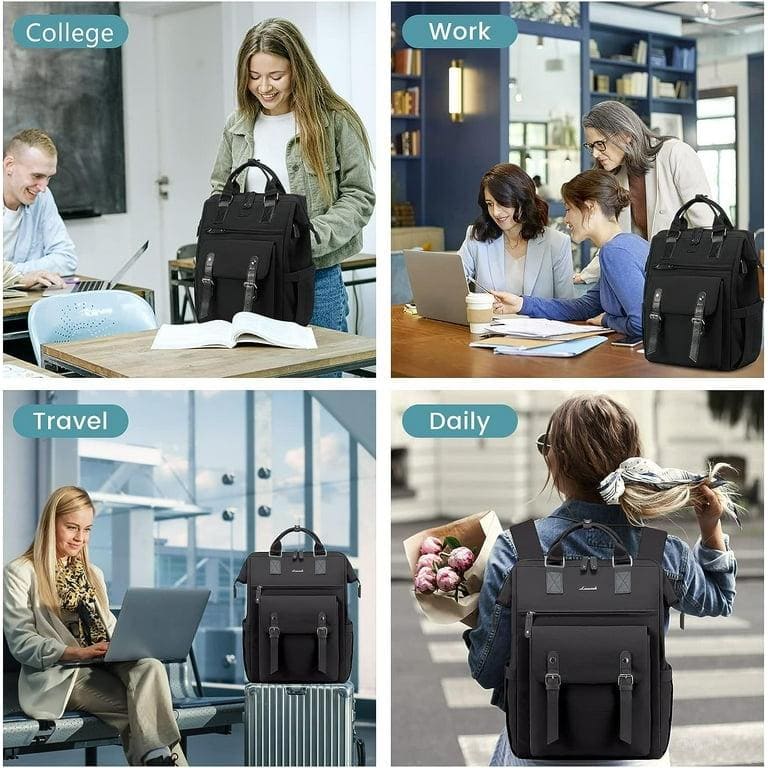
The first step in how to choose a backpack is knowing its main purpose.
A school bag and a travel backpack may both carry your belongings, but they are designed for very different jobs.
For school
If you’re wondering how to choose a backpack for school, focus on:
- Lightweight construction
- Space for books and notebooks
- Padded, adjustable shoulder straps
- Water bottle pocket
- Easy-to-clean material
- Strong zippers and stitching
Avoid buying a very large backpack just because it has more space. A larger bag can encourage carrying unnecessary weight.
For college
If you’re learning how to choose a backpack for college, think about everything you carry during a normal day.
A good college backpack may need space for:
- Laptop or tablet
- Books and notebooks
- Charger
- Water bottle
- Lunch
- Headphones
- Personal items
A 20–30L backpack can work well for many college students, but your actual load should decide the size.
For office use
When considering how to choose a backpack for office use, prioritize organization and protection.
Look for:
- Padded laptop compartment
- Document or notebook section
- Charger and accessory storage
- Comfortable straps
- Professional design
- Water-resistant material
If you commute by public transport or scooter, also consider easy access and secure compartments.
For daily use
If you want to know how to choose a backpack for daily use, start by listing what you carry every day.
For a light daily load, around 15–20L may be enough. If you carry a laptop, lunch, books and other essentials, you may prefer 20–25L or more.
2. Decide What You Actually Need to Carry
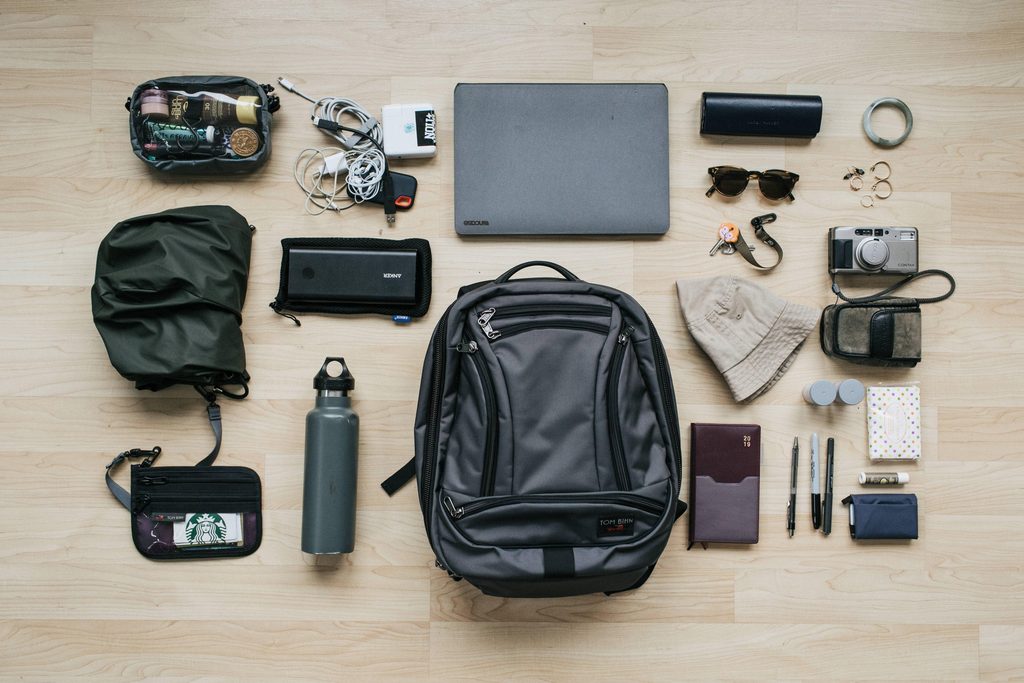
Before choosing a size, empty your current bag.
Put everything on a table:
Laptop + charger + books + lunch + bottle + jacket + accessories.
Now ask yourself:
Do I really carry all of this every day?
This simple exercise can prevent you from buying a backpack that is too small or unnecessarily large.
Think about your normal load, not the biggest load you might carry once every few months.
3. How to Choose a Backpack Size
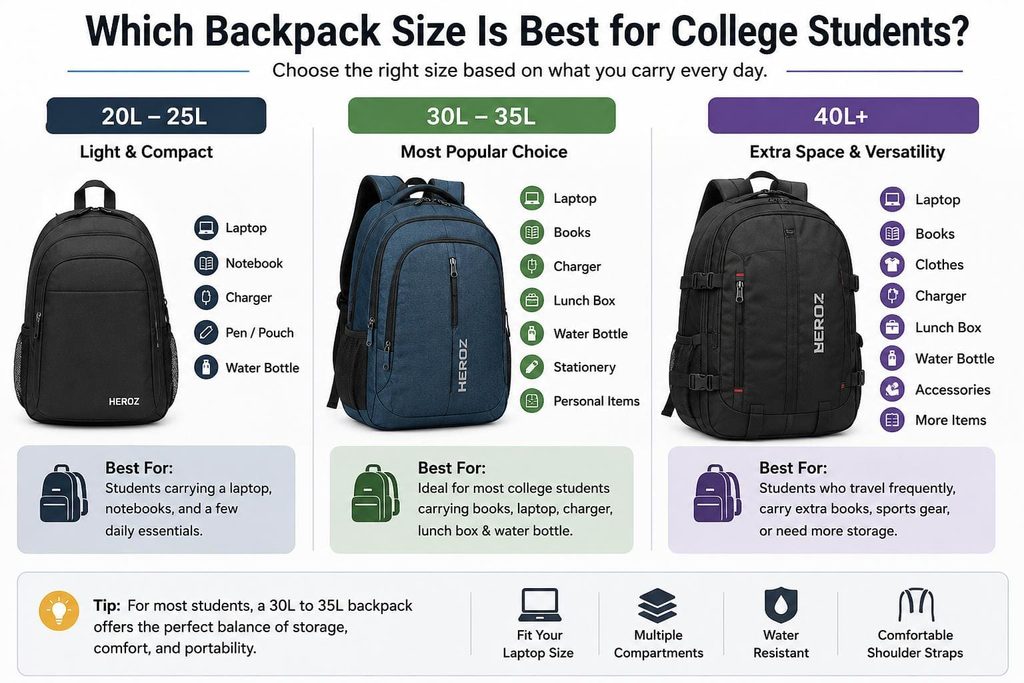
One of the biggest buying mistakes is choosing a backpack based only on how it looks.
Backpack capacity is usually measured in litres (L).
Here’s a useful starting point:
| Backpack size | Generally suitable for |
| 10–15L | Minimal everyday carry |
| 15–20L | Light daily use |
| 20–25L | College, office and commuting |
| 25–30L | Heavy daily carry |
| 30–40L | Short trips and travel |
| 40L+ | Longer travel or outdoor use |
These are guidelines, not strict rules.
What size backpack should I buy?
Ask three questions:
- What do I carry?
- How long do I carry it?
- Do I need extra space?
If you carry only a laptop, charger and a few small items, a huge backpack may be unnecessary.
If you carry clothes, toiletries and electronics for a short trip, you’ll need more capacity.
Why backpack size and fit matter
A backpack that is too small can become difficult to organize and may force you to overpack.
A backpack that is too large can encourage unnecessary weight and may feel bulky.
That’s why size should match your load—not your guess about how much space you might need.
4. Make Sure the Backpack Fits You
Size isn’t only about litres.
Fit matters just as much.
So, how should a backpack fit?
When worn correctly:
- The shoulder straps should sit comfortably on your shoulders.
- The backpack should stay close to your back.
- It should not hang far below your lower back.
- The weight should feel balanced.
- You should be able to move your arms freely.
- Straps should not dig into your shoulders.
For larger travel or hiking backpacks, torso length and load-support features become even more important.
5. How to Choose a Comfortable Backpack
Comfort becomes especially important if you carry your backpack for hours.
When learning how to choose a comfortable backpack, check these features:
Padded shoulder straps
Wide, padded and adjustable straps can make a noticeable difference.
Padded back panel
A padded back can improve comfort and reduce pressure from objects inside the bag.
Breathable back panel
Useful if you commute in a hot climate or walk for long periods.
Good weight distribution
Keep heavier items closer to your back rather than allowing them to move around.
Chest or waist straps
These are more useful for larger or heavier backpacks than for small everyday bags.
Remember: padding alone doesn’t make a backpack comfortable. A poor fit can still feel uncomfortable even when the bag is heavily padded.
6. Check Laptop Protection
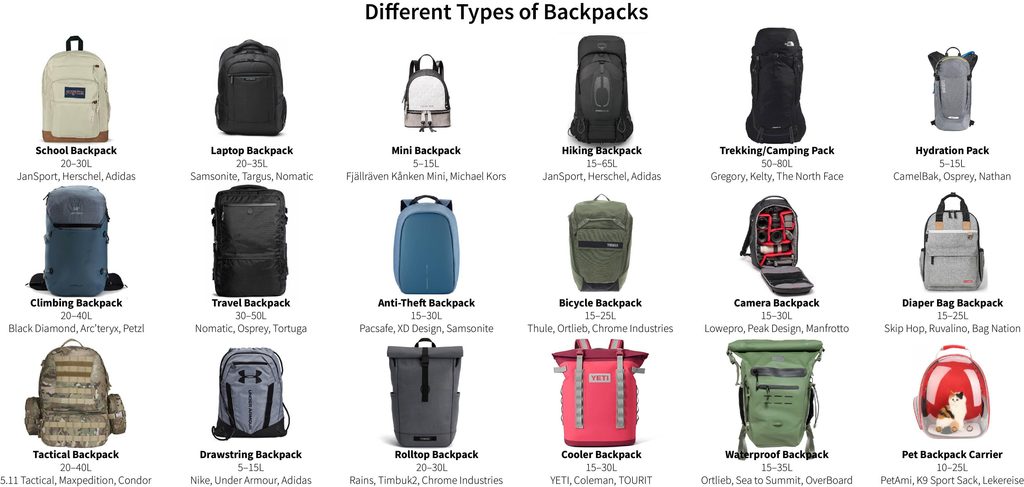
A laptop compartment is useful, but don’t assume every laptop backpack offers the same level of protection.
Who should use a laptop backpack?
A laptop backpack is ideal for:
- Students
- College students
- Office workers
- Freelancers
- Remote workers
- Business travelers
- Anyone who regularly carries a laptop
Before buying, check your laptop’s actual dimensions, not only the screen size.
Look for:
- Padded laptop sleeve
- Secure closure
- Enough depth
- Protection from other items
- Separate charger compartment
A backpack labelled “15.6-inch laptop compatible” may not fit every 15.6-inch laptop equally well.
7. Choose the Right Material
The material affects durability, weight, appearance and weather resistance.
Polyester
A common choice for affordable everyday backpacks.
Best for: School, college and basic daily use.
Nylon
Known for strength and durability.
Best for: Travel, commuting and heavy everyday use.
Canvas
Offers a casual and classic appearance.
Best for: Lifestyle and everyday use.
Leather
Looks premium and works well in professional settings, but can be heavier and more expensive.
Best for: Premium office and business use.
The best material depends on your priorities rather than the material name alone.
8. Check Water Resistance
If you commute during heavy rain, this feature matters.
But remember:
Water-resistant does not always mean waterproof.
Check:
- Fabric coating
- Zipper design
- Sealed or reinforced seams
- Rain cover
- Laptop protection
For everyday commuting, water resistance can be useful. For heavy outdoor use, stronger weather protection may be worth paying for.
9. Don’t Choose a Backpack Just Because It Has More Pockets
More compartments can sound impressive, but they aren’t always useful.
A good everyday backpack may only need:
- One main compartment
- Laptop sleeve
- Small quick-access pocket
- Bottle holder
For office use, a document section and tech organizer can help.
For travel, separate sections for clothing, toiletries and accessories may be more useful.
The key question is:
Will I actually use these compartments?
Good organization is better than having 15 pockets you never use.
10. What Should I Look for When Buying a Backpack?
Before buying, check these important areas:
Comfort
- Adjustable shoulder straps
- Padding
- Back support
- Weight distribution
Size
- Suitable capacity
- Enough room for your normal load
- Not unnecessarily large
Durability
- Strong stitching
- Quality zippers
- Reinforced handles
- Strong strap attachment
Protection
- Laptop padding
- Water resistance
- Protective lining
Organization
- Useful compartments
- Easy access
- Bottle holder
Practical features
- Luggage sleeve
- Hidden pocket
- Rain cover
- Security features
Don’t pay extra for a feature simply because it sounds impressive.
11. What Makes a Good Quality Backpack?
A good quality backpack should combine comfort, durability and useful design.
Look closely at the small details:
- Are the stitches neat?
- Are the straps firmly attached?
- Do the zippers move smoothly?
- Is the bottom reinforced?
- Does the handle feel strong?
- Is the laptop compartment properly padded?
- Does the bag retain its shape when loaded?
These details often tell you more about quality than a brand logo.
12. Common Backpack Buying Mistakes
Avoid these mistakes when choosing your next backpack:
Buying based only on appearance
A stylish backpack is not useful if it hurts your shoulders.
Choosing the biggest size
More capacity doesn’t automatically mean better.
Ignoring your laptop’s dimensions
Always check the actual measurements.
Confusing water resistance with waterproofing
Your belongings may still get wet during heavy rain.
Buying too many compartments
More pockets can create clutter instead of organization.
Ignoring the backpack’s own weight
A heavy empty backpack leaves less room for your actual belongings.
Focusing only on price
A cheap backpack isn’t always good value, and an expensive backpack isn’t automatically better.
13. How to Choose the Best Backpack for Your Needs
Still confused? Use this simple decision guide.
| Your main need | What to prioritize |
| School | Lightweight, spacious, comfortable |
| College | 20–30L, laptop protection, organization |
| Office | Laptop protection, organization, professional design |
| Daily commute | Comfort, moderate capacity, water resistance |
| Travel | Capacity, organization, durability |
| Gym | Clothing space, shoe compartment, ventilation |
| Trekking | Fit, load support, durability, weather protection |
14. Final Backpack Buying Checklist
Before you click Buy, ask:
☐ What will I use it for?
☐ What do I carry every day?
☐ What capacity do I need?
☐ Will my laptop fit?
☐ How should the backpack fit my body?
☐ Are the straps comfortable?
☐ Is the material suitable for my use?
☐ Is it water-resistant enough?
☐ Are the compartments useful?
☐ Are the zippers and stitching strong?
☐ Is the backpack itself lightweight?
☐ Does it fit my budget?
If you can answer these questions, you are much closer to finding the right backpack.
Final Word
The best backpack isn’t necessarily the biggest, cheapest or most stylish one.
The right backpack is the one that matches your daily load, fits your body, protects what you carry and suits the way you use it.
So, instead of asking only “Which backpack should I buy?”, start with:
“What do I carry, where do I go, and how long will I carry it?”
Once you answer those three questions, choosing the right size, features and style becomes much easier.
Looking for a specific type of backpack? Explore our guides for school backpacks, college backpacks, laptop backpacks, office backpacks, travel backpacks and backpacks by budget to find an option that fits your needs and price range.

Subhankar Sharma is an SEO specialist with over 9 years of experience in boosting organic traffic and online visibility through data-driven strategies. At DigiWhoop, he combines technical expertise with user-focused content to help readers make informed tech and product decisions.